Help · Yard
Buying at the yard
Buy in boards and sheets, check a board on the rack, and note what you paid.
Get the project onto your phone
The first time Yard opens, it shows the sample nightstand. To open yours, tap ☰ and open the project file you saved from the Designer, or turn on sync. On Android you can also open a project file straight from Files, Drive or an email.
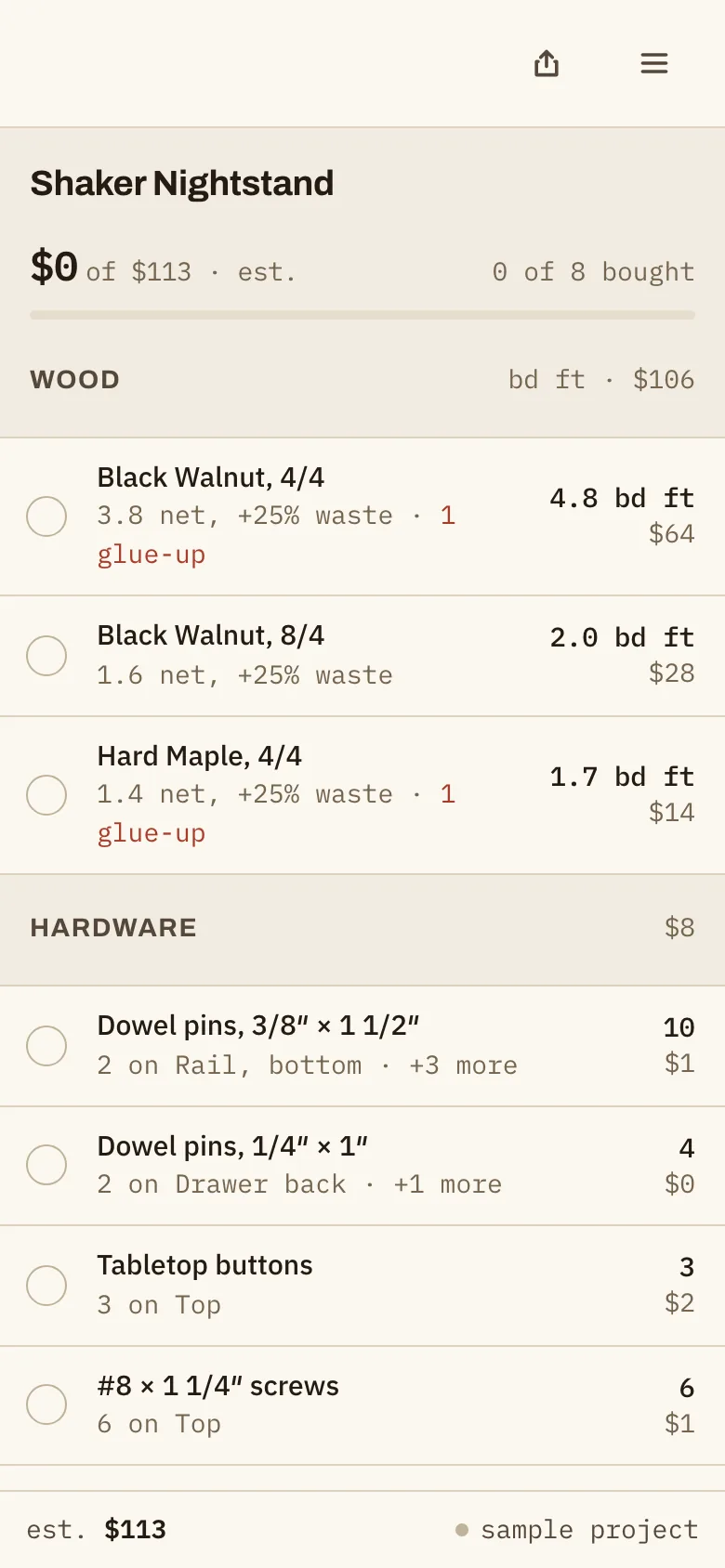
The list
Lines are grouped as Wood, Sheet goods, Edge banding and Hardware, with finishes and glue under Supplies. At the top: what you’ve spent against the estimate, and how many lines are bought.
- Wood is in board feet, with 20% added for defects and grain. A part wider than the widest board you set is a glue-up; the line says how many.
- Sheets count whole sheets, and a half or quarter when the last sheet can be smaller.
- Edge banding is in length, or rolls when you’ve set a roll length.
- Hardware counts every screw, pin and button, and where each goes.
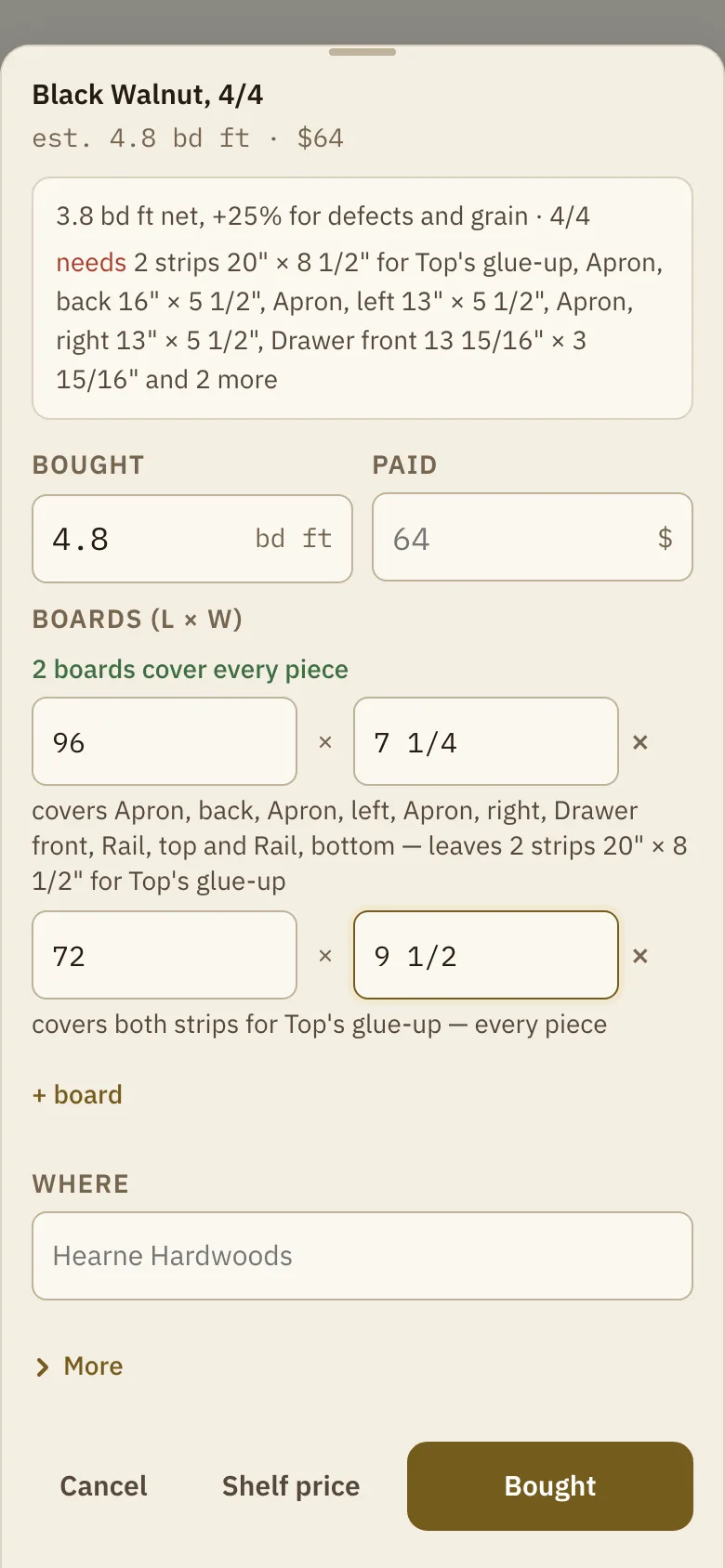
Tap a line to see the pieces it has to yield, strips for a glue-up included, and what you paid for it last time.
Check a board on the rack
In a wood line, tap + board and type the board’s length and width. Yard lays your pieces out on it and says what it covers and what’s still left. Add another board and it picks up the rest, until the line says the boards cover every piece.
Type an Actual thickness under More and it warns when a board is too thin for a part.
Record what you bought
- Tap the line.
- Fill in Bought (the boards you checked fill it for you), Paid and Where.
- Under More, note the Actual thickness and anything else, like “6/4 instead of 8/4, resaw”.
- Tap Bought.
A line is ticked when what you bought covers it; until then it says what’s still to go. Each purchase has an undo.
The thickness you record goes back to the design: a dado cut for 3/4″ ply is flagged if the ply you bought measures 23/32″.
Shelf price notes a price without buying; the line shows it next time.
More than one project
When other projects need buying too, tap All projects at the top. The Yard trip merges them into one list, with shared sheet parts laid out together.
Stock you already have
Boards, sheets and offcuts you’ve put on the rack at the Bench can count against the list. Tap Use stock or Use rack and the lines buy less.
Share the list
The share button at the top sends the list as text, line by line with the estimate, to a message, a note or anyone doing the run for you.